Tools / Photo to 3D Character
Photo to 3D Character
Turn one photo of a person into a rigged 3D game character with 24 animations, ready to run, jump and swing a sword.
How it works
The steps
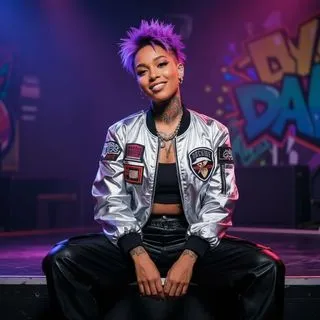
- Check the photo: a vision model makes sure it is the person's own picture and crops to the lead person.
- Flux 3 draws a four-panel character sheet (front, side, back, side) in a standing pose - so a seated photo still gives a standing body.
- The person is cut out and TRELLIS builds a 3D mesh in about 2 seconds (8 steps).
- Clean-up: loose shards removed, 20,000 triangles, smooth normals, and a 2048 texture with the ORIGINAL photo on the front (a sharp face) and the sheet's back panel on the back.
- UniRig draws a humanoid skeleton and skin weights; Blender puts 24 Quaternius animation clips on it and adds a sword socket.
- Out comes one GLB file, checked by the glTF validator, that plays in our games - for example BLOCK RUNNER.
Examples
Photo in, playable character out
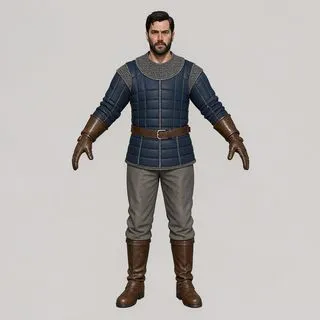
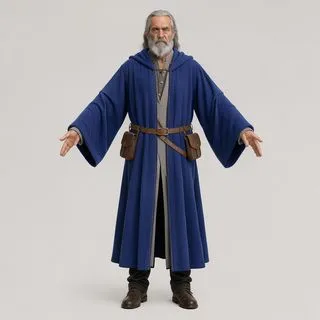
Four of the ten characters from the reliability run. Pick a character and an animation; the menu at the end has all 24 clips.
Drag to turn it, pinch or scroll to zoom.
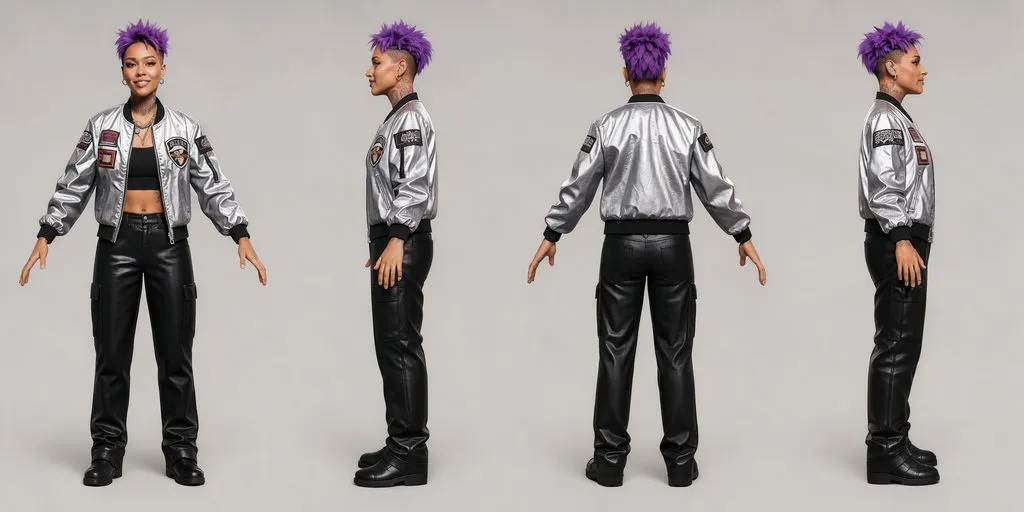
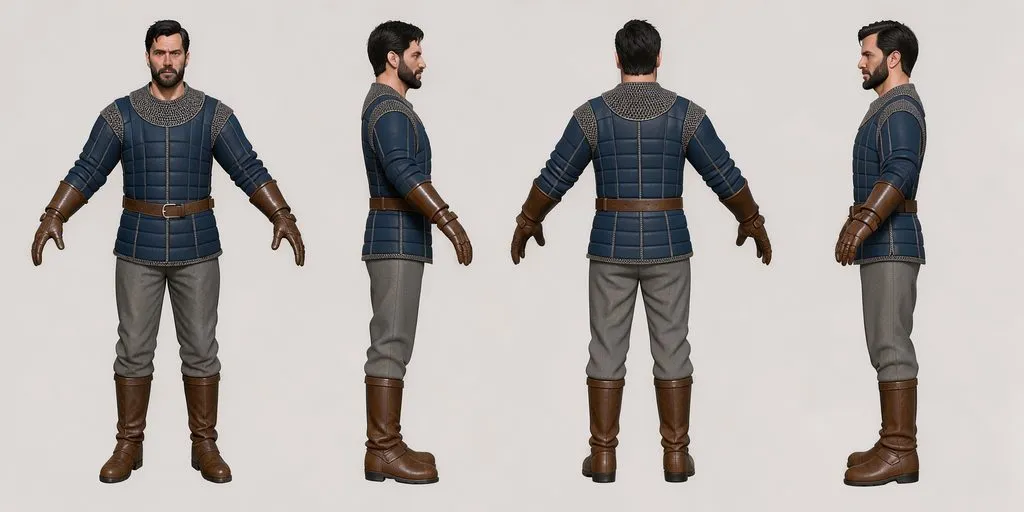
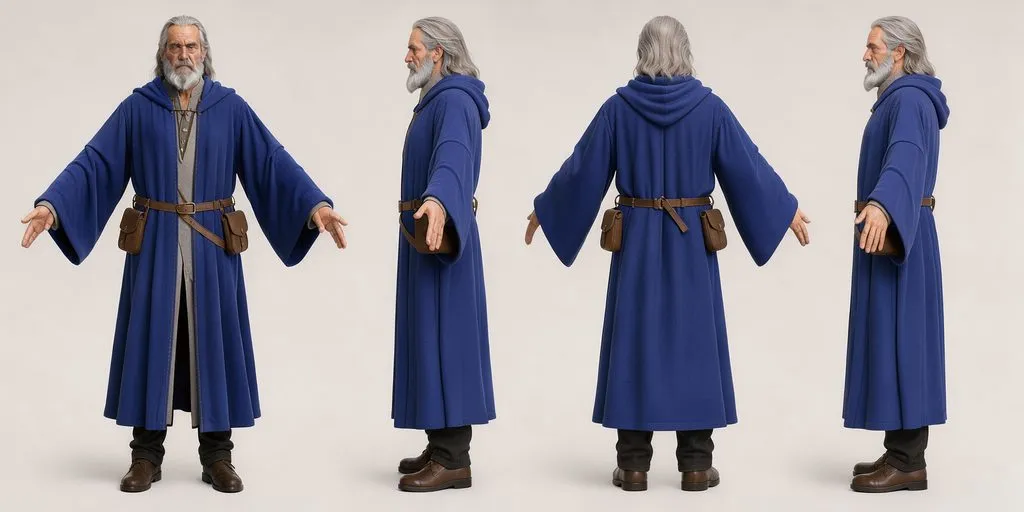
Quality round
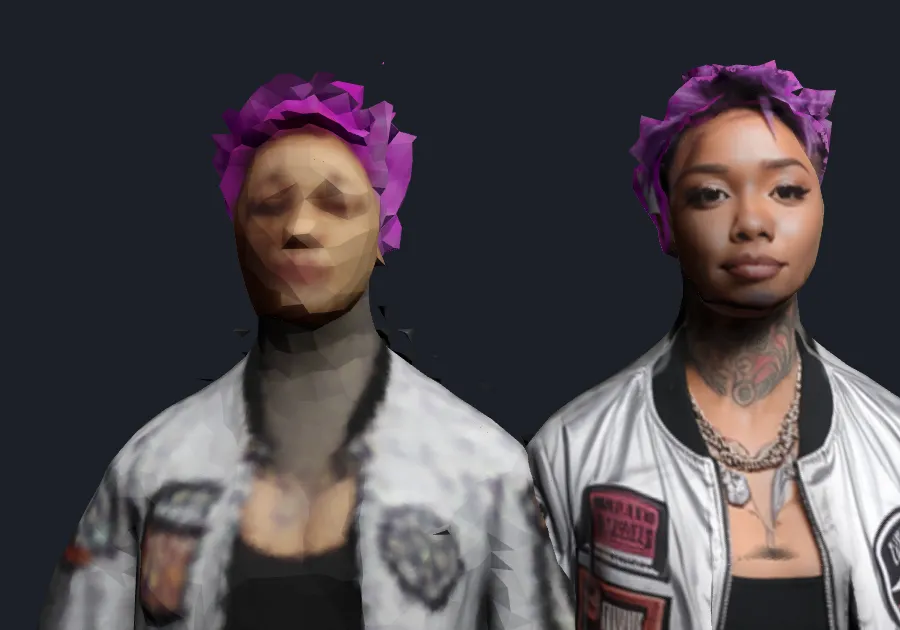
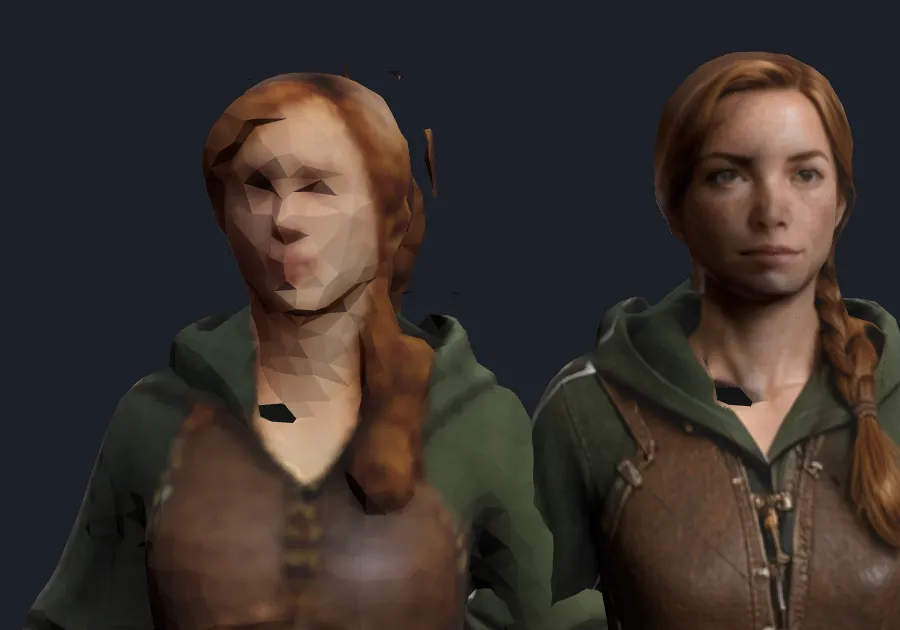
Before and after: the face
Left: the first try (colours per triangle, loose shards). Right: after the quality round - the original photo projected on the front at 2048, shards removed, smooth normals. Same pipeline speed.
Speed
Where the time goes
| Measure | Result |
|---|---|
| Typical (p50), warm, cut-out to GLB | 27.6 s |
| Slow tail (p95), warm | 64.9 s - UniRig redrawing a non-human skeleton; checking earlier and drawing two at once brings it to ~31 s |
| Model time per character | about 8 s (TRELLIS 8 steps = 1.85 s, same look as 25 steps) |
| Cold start (models loading) | 87 s, of which 58.6 s is loading |
| All-in with photo check and Flux sheet (p50 / p95) | 62 s / 99.5 s |
| Blender: 24 clips + export | 7.4-8.1 s per character |
Models and licences
What it runs on
| Step | Model or tool | Licence |
|---|---|---|
| Photo check | Qwen 3.8 VL 27B (vision) | open weights (Qwen) |
| Character sheet | FLUX 3 Image Klein (int8) | FLUX Kommunity licence (free commercial use under $5M revenue) |
| Cut-out | rembg (U2-Net) | MIT / Apache-2.0 |
| 3D mesh | TRELLIS-image-large (Microsoft) | MIT (code and weights); DINOv2 Apache-2.0 |
| Skeleton and skin | UniRig (VAST-AI) | MIT |
| Animations | Quaternius Universal Animation Library | CC0 |
| Retarget and export | Blender 4.2 | GPL (the tool only; the files we make are ours) |
| Clean-up and texture | pymeshlab, xatlas, trimesh | GPL-3.0, MIT, MIT |
Known limits from the reliability run: the photo check wrongly refused 4 of 10 pictures (it called Rhythm Blaze, an AI character, a famous person) - the fix is to refuse only when it can name the person. 6 of 10 characters show stretched edges in some poses (long robes, arms close to the body). Body models with non-commercial licences (SMPL-X, LHM) were left out on purpose.
Benchmarks and live pages